
How to Protect Your Privacy Online: A Beginner’s Guide
Learn how to protect your privacy online with simple steps and tips in this beginner’s guide to staying safe in the digital world.
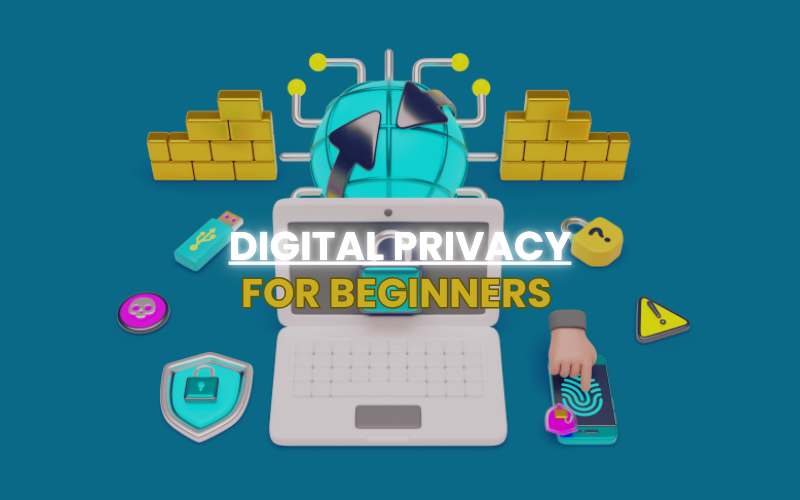
In today's digital world, we’re more connected than ever—but that connection comes at a cost. Every time we scroll, click, or share, we leave behind bits of data about ourselves. From social media and online shopping to mobile apps and email, our personal information is constantly being collected, tracked, and sometimes even sold. The question is: how can you protect your privacy online—especially if you’re not a tech expert?
The good news is that you don’t need to be a cybersecurity wizard to keep your personal information safe. With a few simple steps and good digital habits, you can take back control and protect your online privacy.
Let’s dive into the essential tips and tools for beginners.
Why Online Privacy Matters
You might think, “I don’t have anything to hide, so why should I worry?” But privacy isn’t just about hiding secrets—it's about control over your personal data. Here’s why online privacy is important:- Protect your identity from hackers and scams
- Prevent targeted advertising and tracking
- Avoid data leaks or breaches
- Stay safe from phishing and fraud
- Maintain your freedom of expression
- Use Strong, Unique Passwords
- Use a different password for every account
- Make them long (at least 12 characters), with a mix of letters, numbers, and symbols
- Avoid using names, birthdays, or common words
- Turn on Two-Factor Authentication (2FA)
- Google, Facebook, Instagram, Amazon, and most major platforms offer 2FA
- Use an authentication app (e.g., Google Authenticator, Authy) for extra security
- Limit What You Share Online
- Make your profiles private where possible
- Don’t share your real birthday, full name, or address online
- Avoid oversharing personal updates in public forums
- Use a Secure Web Browser and Privacy Extensions
- Mozilla Firefox (with enhanced tracking protection)
- Brave (blocks ads and trackers by default)
- DuckDuckGo App (private browsing + search)
- uBlock Origin – Blocks unwanted ads and popups
- Privacy Badger – Stops trackers that follow you across websites
- HTTPS Everywhere – Forces secure (encrypted) connections when available
- Switch to Private Search Engines
- DuckDuckGo – No tracking, no search history
- Startpage – Offers Google results without the tracking
- Brave Search – Private and ad-free option
- Say No to Unnecessary App Permissions
- Check app permissions in your phone settings
- Revoke access to location, camera, and microphone unless necessary
- Uninstall apps you don’t use
- Clean Up Your Digital Footprint
- Google yourself and see what’s out there
- Delete or deactivate old accounts you no longer use
- Use services like JustDelete.me or AccountKiller to find account deletion links
- Request data removal from people search sites (e.g., Spokeo, Whitepages)
Bonus: Be Aware of Phishing and Scams
Scammers often try to trick you into giving up personal info via fake emails, websites, or messages. This is called phishing. How to spot it:- Look for spelling errors, urgent language, or strange links
- Never click suspicious links or download attachments from unknown senders
- Always double-check email addresses and website URLs
Final Thoughts
Protecting your privacy online isn’t about being paranoid—it’s about being smart. You don’t need to go off the grid or delete every account. But by taking small, consistent steps, you can enjoy the internet without giving up your personal information. Think of it like locking your doors at home. You hope nothing bad happens—but it’s wise to stay prepared. So start today. Update those passwords. Turn on 2FA. Share a little less. Use better tools. And most importantly, stay aware. Your digital life is your real life—so protect it like it matters. Would you like help turning this into a formatted blog post with meta tags, internal links, or visuals for your site or social media?


Comments
Leave a comment Replying to
Comments are reviewed before they appear. Your email is never published.