
How to Launch a Tech Startup With Just AI Tools
Learn how to launch a tech startup using only AI tools—from idea to execution—without a big team or massive funding.
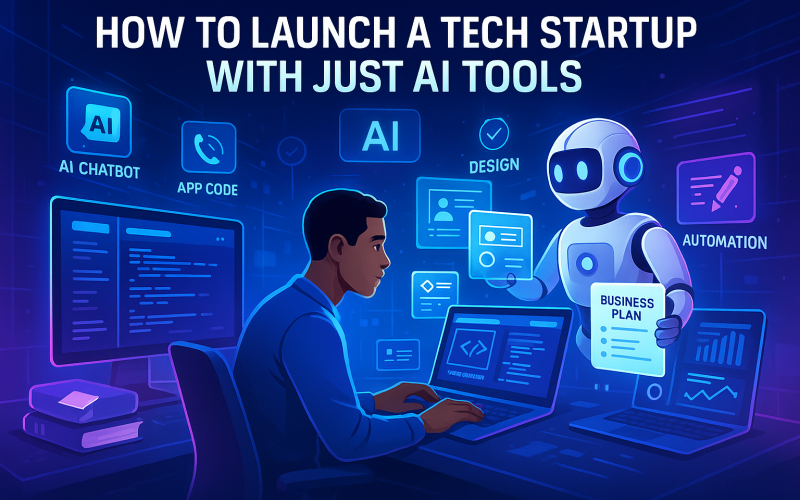
The startup landscape has undergone a massive transformation in recent years. What once required a team of developers, marketers, designers, and business consultants can now often be done by one determined individual — thanks to the rise of AI tools. In 2025, launching a tech startup has never been more accessible, efficient, or cost-effective. If you’ve got a great idea, AI can help you bring it to life — from concept to launch — even if you don’t have a technical background. In this blog, we’ll walk you through exactly how to launch a tech startup using nothing but AI tools.
Step 1: Validate Your Startup Idea with AI
Before diving into development, you need to validate your idea.Tools to Use:
- ChatGPT / Gemini / Claude – Use these to brainstorm startup ideas, define your niche, and simulate customer conversations.
- Google Trends & Exploding Topics – Analyze real-time trends and demand.
- Pollfish / Typeform + AI Analysis – Create and analyze surveys using AI to collect and interpret customer feedback.
Step 2: Build an MVP Without Coding
The next step is to develop a Minimum Viable Product (MVP) — and you can now do this without a single line of code.Tools to Use:
- Bubble / Glide / Adalo – No-code app builders for mobile or web apps.
- Framer / Webflow / Wix ADI – AI-powered web design tools.
- Builder.ai / AppGyver – Turn your product idea into functioning software using AI-generated code or logic blocks.
Step 3: Design Like a Pro (Even If You Aren’t One)
A visually appealing brand can make or break your startup. Luckily, you don’t need a designer anymore — AI has you covered.Tools to Use:
- Canva + Magic Design – Create logos, social posts, presentations, and pitch decks with AI suggestions.
- Looka / LogoAI – Generate full brand kits (logo, colors, fonts).
- Uizard – Turn sketches or prompts into app mockups or UI wireframes.
Step 4: Launch Your Website or App
Now that your MVP and brand are ready, it’s time to go live.Tools to Use:
- Framer AI / Webflow – Use AI to write and structure content blocks.
- Carrd / Dorik – Create simple landing pages quickly.
- Tidio / Drift – Add AI chatbots to your site to answer questions automatically.
- Notion / Super.so – Turn Notion docs into functional websites.
Step 5: Market With AI-Driven Growth Hacking
Marketing used to be expensive and time-consuming. Not anymore.Tools to Use:
- Jasper / Copy.ai – Generate SEO-optimized blog posts, ads, and email campaigns.
- Lumen5 / Pictory – Turn blog content into short marketing videos.
- SurferSEO / Scalenut – Plan and optimize content to rank on Google.
- Ocoya / Postly – Automate and schedule AI-generated social media content.
Step 6: Handle Customer Support and Feedback
Once users start coming in, AI can help you support them, listen to their needs, and improve quickly.Tools to Use:
- Tidio / Intercom AI – Intelligent chatbots for automated support.
- Crisp / HelpScout + AI Summaries – Manage tickets and get conversation insights.
- Typeform / FeedbackAI – Collect user feedback and let AI summarize patterns and feature requests.
Step 7: Analyze and Optimize
Growth is all about insights. Use AI tools to read your data and recommend improvements.Tools to Use:
- Google Analytics + AI reports
- Mixpanel / Hotjar AI tools – Analyze user journeys and predict drop-off points.
- Obviously.ai / MonkeyLearn – Use natural language queries to analyze trends in your startup data.
Bonus: Use AI as Your Business Co-founder
AI doesn’t just help with execution — it can also be a strategic advisor. Ask ChatGPT or other AI models to:- Simulate investor pitch Q&As
- Draft business models using frameworks like Lean Canvas
- Create competitor analysis reports
- Prepare funding documents
Real-World Examples of AI-Solo Founders
- Solo entrepreneurs are using tools like GPT-4, Midjourney, and Bubble to launch startups in under a month.
- Some are generating passive income with AI-generated content, SaaS products, or affiliate tools.
- Entire platforms like HoppyCopy, Durable.co, and DoNotPay started small using AI-first approaches and scaled fast.
Final Thoughts
We’re living in the era of the AI-powered entrepreneur. In 2025, starting a tech startup doesn’t require a technical background, a huge budget, or a massive team. With the right AI tools, anyone with an idea and ambition can build, launch, and scale a product. AI democratizes innovation. If you’ve been waiting for the “right time” to start your startup — this is it. The tools are here. The opportunities are endless. All you need is to take the first step.


Comments
Leave a comment Replying to
Comments are reviewed before they appear. Your email is never published.